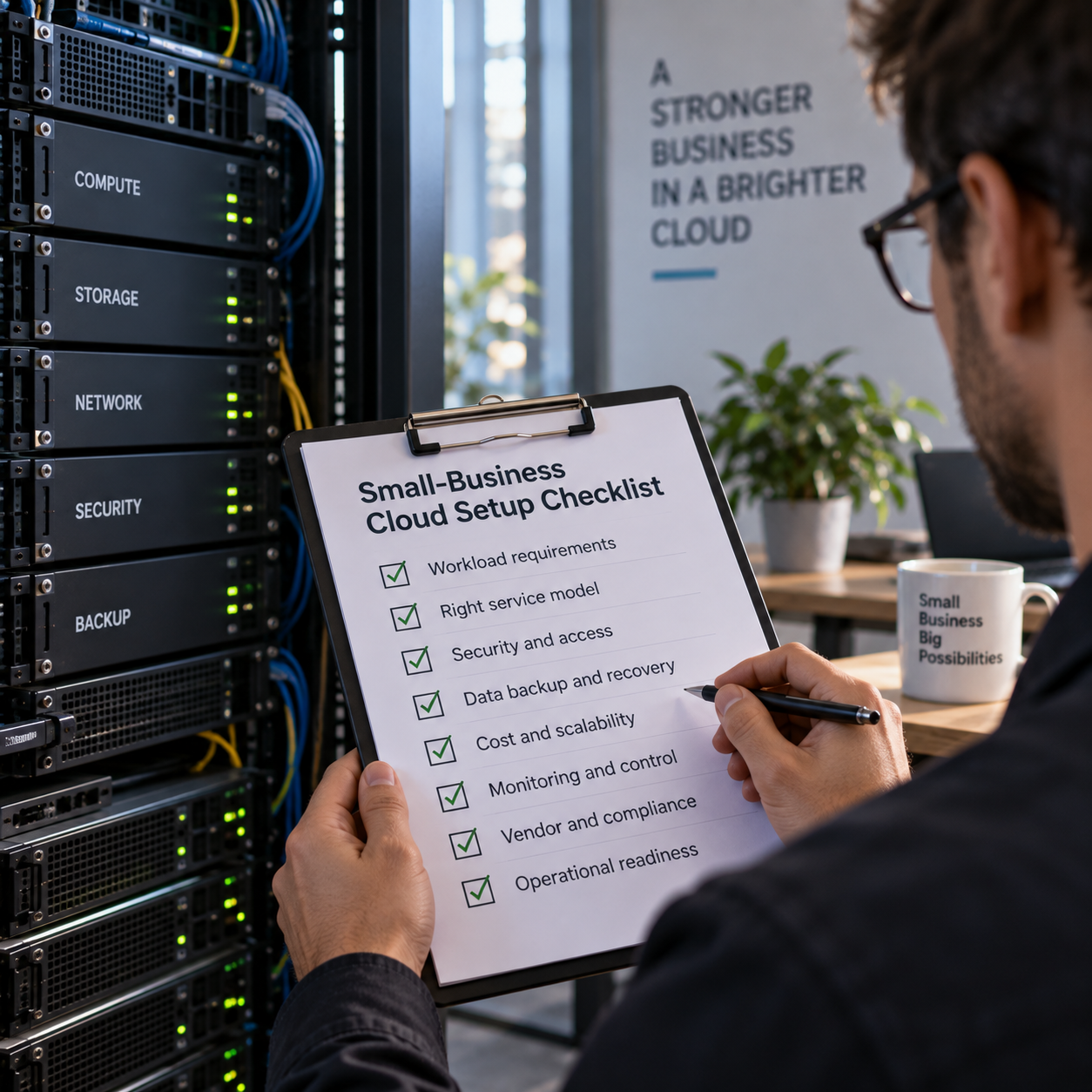
A cloud setup is not complete when servers, storage, and applications are online. For a small business, success also depends on whether the environment supports real workloads, remains affordable as demand changes, can be recovered after failure, and has a named owner. Technical configuration must therefore follow business decisions—not substitute for them.
The source guidance from Small Business Trends outlines core cloud infrastructure concerns, including planning, configuration, security, monitoring, scalability, and maintenance. The checklist below translates those concerns into an operator-focused implementation plan. Use it before a new deployment, during a migration, or to review an environment that has grown without formal governance.
Stage 1: Define the workload before selecting the architecture
Begin with what the business needs the cloud environment to do. Moving directly to provider products can result in an architecture shaped by a vendor catalogue rather than operational requirements.
- List the workloads: Identify applications, databases, file stores, websites, integrations, development environments, and scheduled jobs. Record which systems communicate with one another.
- Classify business importance: Separate revenue-critical and customer-facing systems from workloads that can tolerate interruption. This classification should guide resilience and recovery spending.
- Describe demand: Note normal usage, predictable peaks, seasonal changes, growth expectations, and workloads that run only at certain times. Avoid treating maximum possible demand as normal demand.
- Document data requirements: Record sensitivity, retention obligations, permitted locations, access needs, and dependencies on local equipment or third parties.
- Set recovery expectations: Decide how much data loss is tolerable and how quickly each important service must return. These are business decisions because stronger recovery arrangements usually require more resources and administration.
Leaders should ask: Which outage would stop sales or service delivery? What must continue if an office loses connectivity? Are regulatory or customer contracts relevant to data handling? Who approves the availability and recovery requirements?
Stage 2: Choose an architecture that matches control and capability
Architecture choices affect performance, scaling, management effort, and cost. The appropriate design is not necessarily the most sophisticated one. A small team may gain more from managed services and a simpler environment than from maximum configurability.
Decide whether each workload fits public cloud infrastructure, a managed platform, software as a service, private infrastructure, or a hybrid arrangement. Consider existing systems, internal skills, latency, data movement, integration requirements, and the degree of control the business genuinely needs.
- Map applications across compute, storage, database, networking, and identity components.
- Identify single points of failure, including one server, one connection, one administrator, or one undocumented integration.
- Separate production from testing and development so experiments cannot disrupt live operations.
- Choose deployment regions deliberately, considering users, dependencies, resilience, and applicable data obligations.
- Document why managed or self-managed components were selected and who will maintain them.
Ask vendors to explain dependencies and failure behaviour, not merely the normal operating design. What happens if a region, identity service, integration, or internet connection is unavailable? Which resilience features are enabled by default, and which require explicit configuration? Avoid assuming that using cloud infrastructure automatically makes an application highly available.
Stage 3: Establish access and configuration controls before launch
Access management should be built before employees and suppliers begin sharing credentials or accumulating excessive permissions. Create individual identities, require strong authentication, and assign access according to job responsibilities. Administrative rights should be limited to people who need them and reviewed regularly.
- Enable multi-factor authentication, especially for privileged and billing accounts.
- Use role-based permissions instead of granting broad access person by person.
- Keep emergency access credentials controlled, tested, and securely stored.
- Define a process for new starters, role changes, temporary contractors, and departures.
- Separate routine user accounts from administrator accounts where practical.
- Record and review privileged activity and important configuration changes.
Configuration standards should cover network boundaries, public exposure, encryption settings, operating-system updates, secrets, logging, and approved resource types. Repeatable deployment methods can reduce inconsistency, but automation must itself be reviewed and controlled.
Before launch, ask: Which services are reachable from the public internet, and why? Where are application secrets stored? Who can alter firewall, identity, backup, or logging settings? Can the current configuration be recreated after an accidental deletion?
Stage 4: Make monitoring, backup, and recovery operational
Monitoring must connect technical signals with customer and business impact. CPU, storage, memory, and network measurements are useful, but operators also need to know whether transactions complete, integrations run, and users can reach essential functions.
- Define alerts for availability, capacity, failed jobs, unusual access, backup failures, and unexpected spending.
- Route each alert to a named person or support function with an escalation path.
- Remove alerts that nobody will act on and refine thresholds that generate repeated noise.
- Retain logs long enough to investigate incidents and meet business or contractual requirements.
- Create a simple status view for critical services and dependencies.
Backups require separate decisions about scope, frequency, retention, protection, and restoration. Confirm whether provider snapshots, application exports, database backups, and file backups protect the same things; they are not automatically interchangeable. Protect backup access so compromised production credentials cannot easily delete recovery copies.
A successful backup notification is not proof of recoverability. Schedule restoration tests, document the steps, measure whether business recovery expectations are met, and assign remediation when tests fail. Include configuration, credentials, and operating instructions in recovery planning—not just data.
Stage 5: Control scaling, cost, and change
Scalability should respond to defined demand rather than act as an unlimited permission to consume resources. Establish minimum and maximum capacity, scaling triggers, and application behaviour when limits are reached. Test whether databases, third-party interfaces, licensing, and support processes can scale alongside compute resources.
Cost control begins with visibility. Use consistent naming, tagging, account or project separation, budgets, and alerts so expenditure can be attributed to a workload or owner. Review idle resources, oversized capacity, unnecessary data retention, duplicate environments, outbound data movement, and services left running after projects finish.
Do not evaluate cost only as a monthly infrastructure bill. Include migration work, administration, monitoring, backup, support, training, and the operational risk of designs the team cannot maintain. Leaders should ask vendors which charges vary with usage, storage, requests, support, backups, and data transfer, without relying on unverified estimates.
Every significant change should have an approver, test plan, rollback method, and maintenance window when appropriate. Keep architecture diagrams, dependencies, account ownership, and recovery procedures current as the environment changes.
Assign ownership and run a recurring review
Cloud infrastructure needs accountable owners after deployment. Name a business owner for priorities and risk acceptance, a technical owner for configuration and maintenance, a security owner for access and incident controls, and a financial owner for budgets and usage review. In a small company one person may hold several roles, but the responsibilities should still be explicit.
Before approving launch, confirm that:
- Workloads, dependencies, demand patterns, and recovery expectations are documented.
- Architecture decisions reflect internal capability as well as technical requirements.
- Administrative access is restricted and departure procedures are ready.
- Public exposure, secrets, updates, logs, and configuration changes are controlled.
- Alerts have owners, backups cover required data, and restoration has been tested.
- Scaling limits, cost attribution, budgets, and usage alerts are configured.
- Maintenance, vendor escalation, incident response, and documentation ownership are assigned.
Treat this checklist as a recurring operating review rather than a one-time deployment gate. Revisit it after major application changes, rapid growth, incidents, staff turnover, or new contractual obligations. The objective is a cloud environment whose performance, cost, resilience, and control remain aligned with the business as both technology and demand evolve.