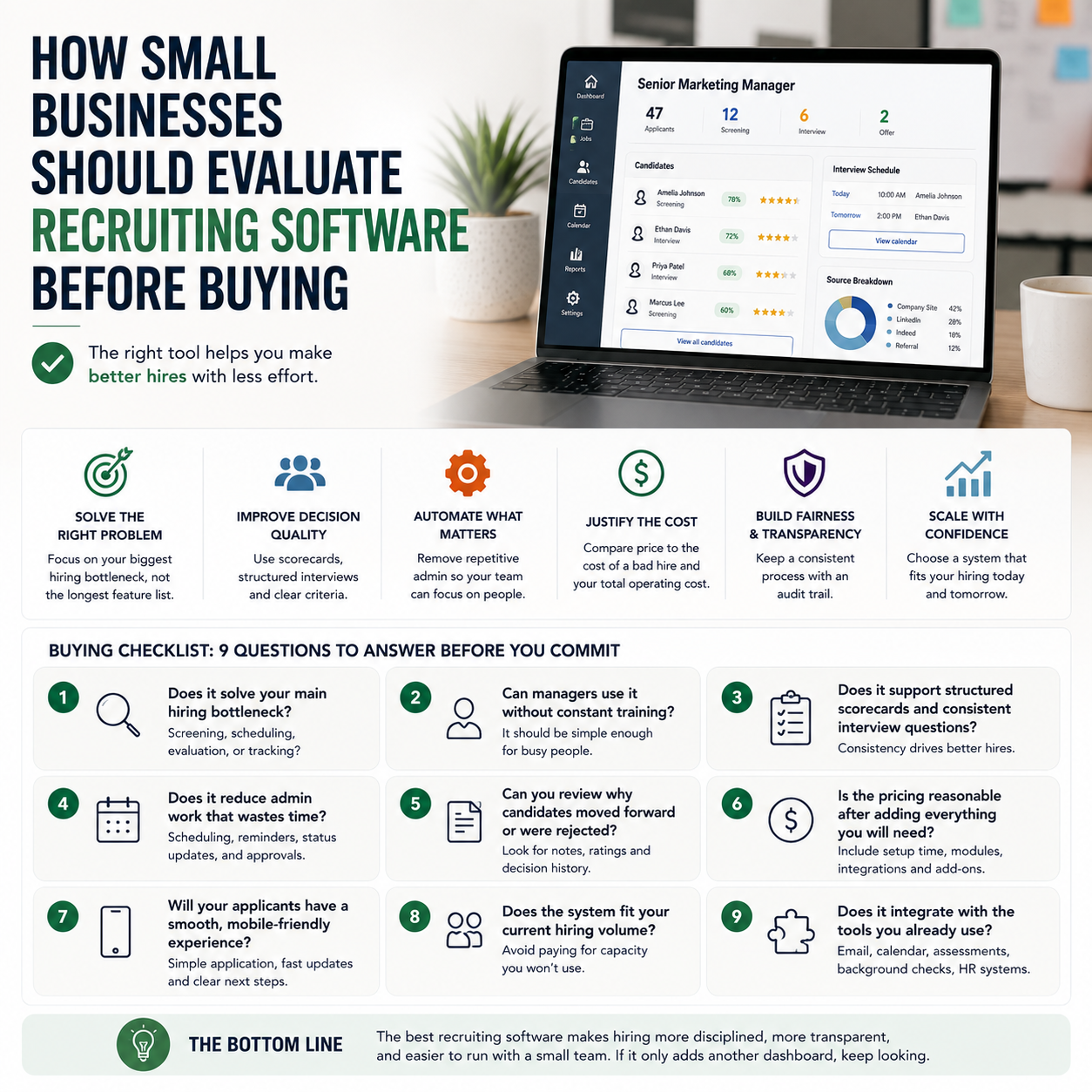
Hiring software can help a small business do more than post jobs faster. The real question is whether it helps you make better hiring decisions with fewer mistakes, less admin, and a cleaner process for every candidate who applies. If you are comparing tools, the smartest move is to evaluate them against your actual hiring workflow, not the vendor demo.
Start with the hiring problem you are trying to solve
Most small businesses do not need a large talent platform. They need something that fixes one or two bottlenecks: too much time spent reviewing applications, inconsistent candidate scoring, messy interview scheduling, or a lack of visibility into where applicants are coming from. The right software should match the shape of your hiring process, not force you to redesign it.
Before you look at features, map the steps you already use: job posting, screening, interviews, scoring, offer management, and onboarding handoff. Then identify where the process breaks. If candidates drop off after the first form, automation may help. If managers assess people differently, structured scorecards matter more than a broader feature set.
Choose software that improves decision quality, not just speed
The strongest case for recruiting software is not faster hiring alone. It is better filtering and more consistent evaluation. For a small business, one bad hire can be more expensive than a few extra days spent comparing candidates carefully. Software should help you standardize questions, compare applicants on the same criteria, and keep notes in one place.
Look for tools that make it easy to build a repeatable process. That usually means job templates, scorecards, interview kits, and a shared candidate pipeline. If a platform only helps you collect resumes, it may reduce manual work but still leave your team making decisions by instinct.
What most people miss
Small businesses often buy recruiting software for the hiring manager and forget the applicant experience. If the process is clunky, slow, or confusing, the software can actually reduce the quality of your candidate pool. A simple mobile-friendly application, fast communication, and clear next steps can matter more than advanced workflow features.
Check where automation really saves time
Automation is most useful when it removes repetitive coordination work. That includes interview scheduling, status updates, reminder emails, duplicate candidate tracking, and moving applicants between stages. If a tool can automate those steps reliably, it can free up time for actual evaluation.
Do not assume every automated feature is worth using. Some businesses benefit from automated screening questions; others risk filtering out strong candidates who do not fit a rigid profile. The best setup is often a hybrid one: automation for admin, human judgment for final decisions.
Ask vendors how their system handles candidate communication, stage changes, and internal approvals. A useful platform should reduce back-and-forth between managers, recruiters, and applicants without creating more process work.
Compare cost against the cost of a bad hire
For small businesses, recruiting software pricing should be judged against the cost of the hiring mistake it is meant to prevent. That means looking beyond monthly subscription fees. Consider onboarding time, user limits, implementation effort, and whether you will need extra tools for assessments, background checks, or e-signatures.
If you only hire a few people a year, a lightweight tool may be enough. If you are hiring for multiple roles across different teams, the value comes from consistency and visibility. In that case, paying more for better workflow control can be easier to justify than using a free tool that creates manual cleanup later.
Also consider hidden operating costs. If the software is difficult for managers to use, your team will work around it. That usually means the process will drift back into spreadsheets and email threads, which defeats the purpose.
Look for fairness and auditability in the process
Recruiting software can help small businesses reduce bias, but only if the process is designed carefully. Structured scorecards, standard interview questions, and clear criteria help teams compare candidates more consistently. A searchable record of why a candidate advanced or was rejected is also useful when you need to explain decisions internally.
Fairness matters operationally, not just ethically. If managers evaluate candidates differently, hiring becomes hard to scale. If you cannot review how decisions were made, it is difficult to improve the process over time. Software should give you a trail you can use to tighten the process, train interviewers, and identify weak points.
Ask whether the platform supports role-based permissions, shared notes, and decision history. Those features make it easier to keep hiring disciplined as your team grows.
Use a short buying checklist before you commit
- Does the tool solve your main hiring bottleneck: screening, scheduling, evaluation, or tracking?
- Can managers use it without training every week?
- Does it support structured scorecards and consistent interview questions?
- Does it reduce admin work such as scheduling, reminders, and status updates?
- Can you review why candidates moved forward or were rejected?
- Is the pricing reasonable after adding setup time and any extra modules you will need?
- Will your applicants have a smooth, mobile-friendly experience?
- Does the system fit your current hiring volume, or are you paying for capacity you will not use?
For a small business, the best recruiting software is the one that makes hiring more disciplined, more transparent, and easier to run with a small team. If it only adds another dashboard, keep looking.